New Client Area Feature: Reverse DNS Management
We are happy to announce that Reverse DNS management is now available directly from the Client Area.
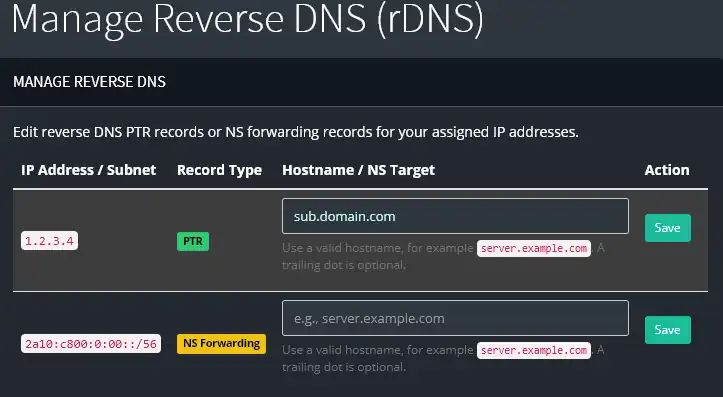
This new feature allows eligible clients to manage rDNS records for assigned IP addresses without needing to open a support ticket for each change.
What you can do
From the new Reverse DNS page, you can:
-
View IP addresses and subnets assigned to your active services
-
See currently configured reverse DNS hostnames where available
-
Edit PTR records for supported individual IP addresses
-
Configure NS forwarding for supported delegated reverse DNS subnets
-
Save changes directly from the Client Area
Where to find it
After logging in to the Client Area, go to:
Services → Reverse DNS
From there, you will see the list of IP addresses and subnets currently available for rDNS management.
Hostname requirements
For security and DNS compatibility, submitted hostnames must be valid fully qualified domain names.
Example:
server.example.com
A trailing dot is optional and will be handled automatically.
Notes
Some reverse DNS changes may take time to propagate depending on DNS caching and TTL values.
If an IP address or subnet you expect to manage is not listed, or if you receive an error while saving a record, please contact support.